Following a solid week of testing and tweaking, the Powerpack was released for general availability on Monday. The feedback we received from you has been mindblowingly positive and you seem to be having as much fun using the new features as we are.
For those who missed the details of the 0.7 release, you can find out more on our redesigned website. There, you can still download the core Alfred app for free as well as buy the Powerpack.
We're listening: Alfred Forum
Until now, we mostly dealt with support questions either over Twitter, where answering a question in 140 characters was sometimes tricky, or by email.
To help you find answers to your questions when we've got our heads down developing new features, and to give us somewhere to answer your questions properly, we launched a Get Satisfaction forum. (Update: You'll find the new forum at http://alfredforum.com.)
There are already some great conversations going, like "What is your favourite custom search in Alfred?", so what are you waiting for? Join with your Twitter, Google or OpenID. It takes two seconds and you'll be in good company, we promise!
What's coming next
What? Did you really think we were going to kick back and relax now?
There are a few small bugs which we're tackling for 0.7.1, but mainly, we're looking at further feature improvements. In particular, iTunes will be much improved, with support for playlists and NAS drives (Network Attached Storage, in other words, hard drives on your network but not attached to your computer directly).
We're also starting to plan 3rd party integrations and the plugin architecture. In the future, this plugin architecture will enable you to write your own plugins for Alfred, extending it to do anything you like.
On that note, we're putting a call out for a developer who can create a plugin for Alfred to make Hannah a sandwich. ;)
Overall, our users have been brilliant over the recent weeks, providing us with tons of helpful feedback during pre-release and since general availability. A huge thank you to everyone who has helped us spread the word about Alfred - we couldn't do it without you!
Five weeks ago, we announced the Powerpack, a set of incredibly powerful features sitting on top of the Alfred core. We've been working intensively, putting every spare hour into the planning and development of these exciting features.
We're now just days away from releasing the pre-release of the Powerpack, ready for our eager users to help us test. But more details on that further down. First, I should introduce the new features, shouldn't I?
Powerpack features
In this first Powerpack release, you'll find three major features:
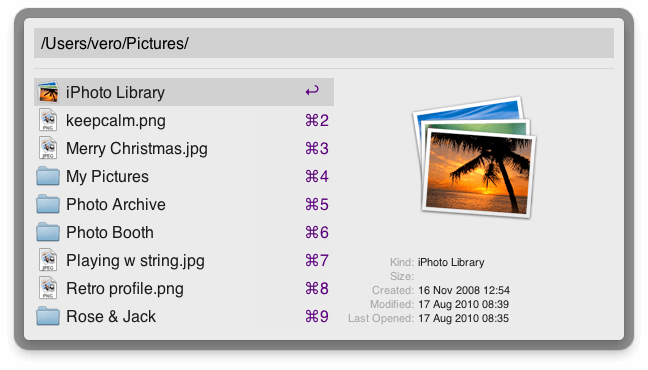
The File System Navigation provides a very easy way to browse files without using the mouse. Using only the keyboard, you'll be able to quickly skip to the files you need without opening Finder.
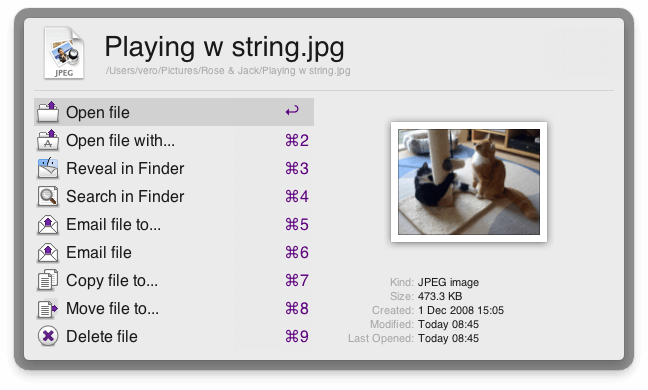
The Result Actions brings the ability to work with and perform actions on files anywhere on your computer with just a few simple keystrokes. Open, copy, move or email files with a quick key combo. We'll add even more actions later on.
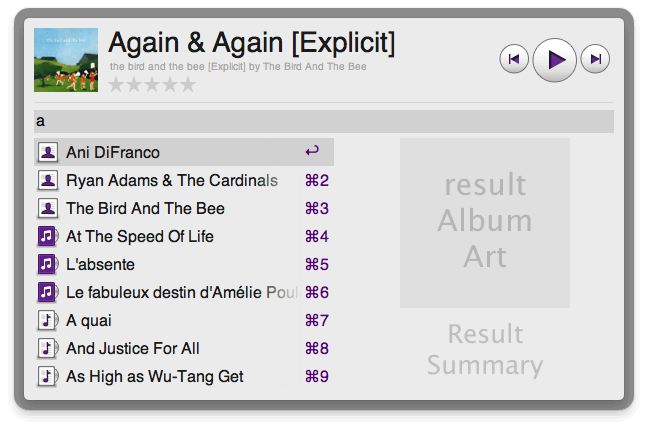
The iTunes navigation, which is still in development, gives you control over your music collection with a quick search. Browse your songs, albums and artists plus rate songs, all within Alfred. In the future, you will also be able to browse your playlists, genres, radio and much more!
This is just the beginning
These are just a few of the planned Powerpack features on our road map. We already have plans to improve the three features above along with adding fast access to your Address book, 3rd party tools and web services integration, Clipboard History, improved AppleScript support and more.
Grab the Powerpack early
From Monday 23rd August, you'll be able to buy the Powerpack to use with the pre-release version of 0.7. (Want to help test the pre-release, I hear you say? Here's how you can get early access) A week later, or once we're satisfied of the stability of the release, we will make it general availability.
The Powerpack is great value, priced at only £12 until we get closer to 1.0. That's cheaper than two cinema tickets (hold the popcorn), than a Moleskine notebook with a cheap pen or than a pizza and a couple of beers.
Future updates marked 0.X and 1.X will be included under this license, so you'll have many more features to look forward to, as well as feeling good for supporting indie software development!
As previously mentioned, past donators will all receive a license key to thank them for supporting us when Alfred first launched.
New website
Accompanying these new features will be a whole new website look, which we hope you'll love as much as we do. Our Twitter background gives you a sneak preview of what the new site will look like.
Developing the Powerpack has been quite a ride so far. We're committed to creating the best productivity tool for Mac you'll ever use and in a few days, you'll be able to try it out for yourself.
See you on Monday!
Cheers,
Vero
In the past number of months, Alfred has been my side project and I have managed to squeeze it into every spare moment I have. This includes writing the software, replying to many support emails, being really active on Twitter and listening to quite a considerable amount of feedback and feature requests. Alfred has had tens of thousands of downloads and we estimate that we have thousands of 'regular' day to day users, which is amazing considering the software is still in beta and has grown entirely from your word of mouth.
I can tell you now that I have LOVED every moment of it to date - The sense of community has been overwhelming and extremely motivating. It has also been good to see that many of the popular feature requests are in our existing long term road map. In other words, you guys have really helped focus what is important.
The future of Alfred
As we approach 1.0 and the end of beta test period, the sense of community and love has made me think long and hard about the best way to make Alfred sustainable into the long term. It has also made me realise that I didn't want to just draw a line and take away what people use daily by making 1.0 a paid-only product.
I want to continue to grow the Alfred user base and its evangelists as much as possible, giving people the choice to support future development. I also want to start taking Alfred more seriously rather than it being just a side project. Therefore today, I am excited to tell you about the future of Alfred (I feel like I should be wearing a black polo neck shirt with a keynote presentation up on a big screen).
Announcing the Alfred Powerpack
The Powerpack will be a paid set of incredibly powerful new features sitting on top of the stable and robust core of Alfred.
These features will have the same simplicity, speed and usability of Alfred but have much deeper integration into OS X, allowing you to use Alfred for much more than just launching apps and finding files - ALL from quick keyboard actions.
By offering a paid add-on to Alfred, we can keep the core of Alfred FREE and give the choice to you, our wonderful users, to both support the development of Alfred and get WAY more awesomesauce!
Here is a sneak peek just a few Powerpack features I am currently working on:
- iTunes mini player / music navigator
- File system navigation and file operations
- Much better and faster access to Contacts
- Much more control over how Alfred looks
- An integrated AppleScript studio allowing for easy AppleScript add-ons
The list of features I have planned is actually really rather large and definitely exciting, so you will have to stay tuned. I would also like to make it very clear that the Powerpack will never bloat Alfred or get in the way of people who simply want to use Alfred as a launcher :)
What you can expect in the next few months
- The Powerpack is still in the works, I am hoping to start giving early access within 6 weeks.
- In the next release you will most likely see a Powerpack tab in the preferences but won't be able to use it yet.
- Ollie (@olliekav) has created a new website - it's almost ready and it's gooorgeous!
- Basically, continue to use and enjoy Alfred!
... Oh, and one more thing...
When the Powerpack is first made available, it will have a special pre-release price to thank you, the early adopters, for saying such great stuff about Alfred: http://twitter.com/alfredapp/favorites
Note: The people who have already donated to Alfred will be getting a license as soon as they are available.
Sign up for updates
Sign up to our newsletter on alfredapp.com or from the About tab of the Alfred preferences to get announcements and newsletters hot off the press! Also, follow @alfredapp to join our growing community :)
Cheers,
Andrew
We're very excited about all the things Alfred can do and the new functions that are being added every day. But sometimes you just want to get started quickly, figure out the basics and launch in. Here's your chance to do this with a short 101-style guide that will get you set up and searching in no time.
In this post, we'll cover:
- Basic web searches
- Setting your own web searches keywords
- Alfred's fallback searches
- Forcing specific searches
Basic searches
Alfred is great for launching applications on your desktop. But it's also great for helping you use the Internet much more quickly than if you were to manually click on a browser icon in your dock and only then start typing in your search.
Instead, just launch your Alfred with a simple keyboard shortcut (which you can set up in Preferences > General) and start your search with a specific keyword. If you want to search Google, start with "google" followed by your desired search.
Similarly, you can search specific websites with the use of specific keywords, just as in the examples below:
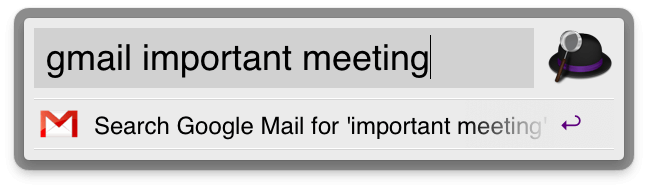
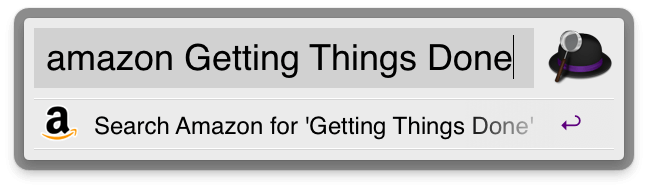
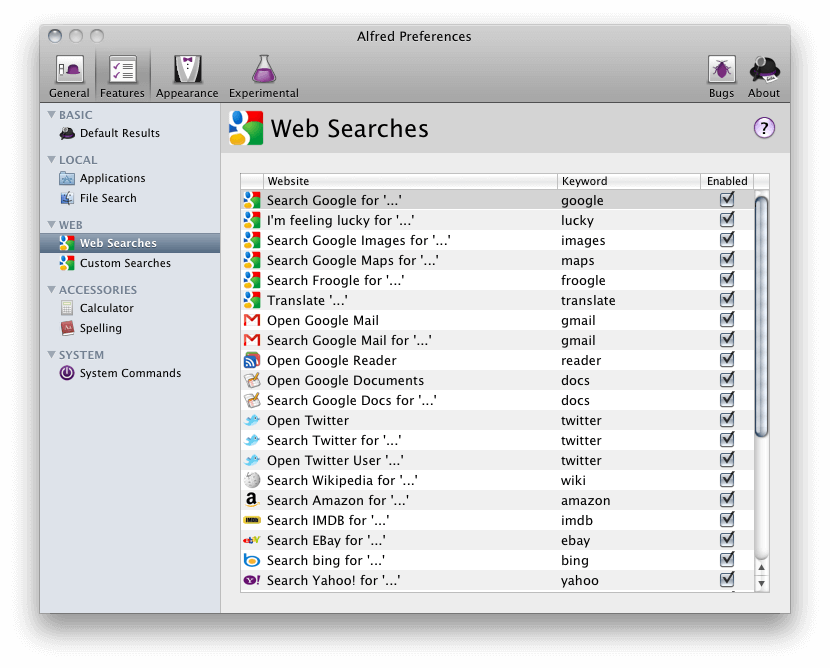
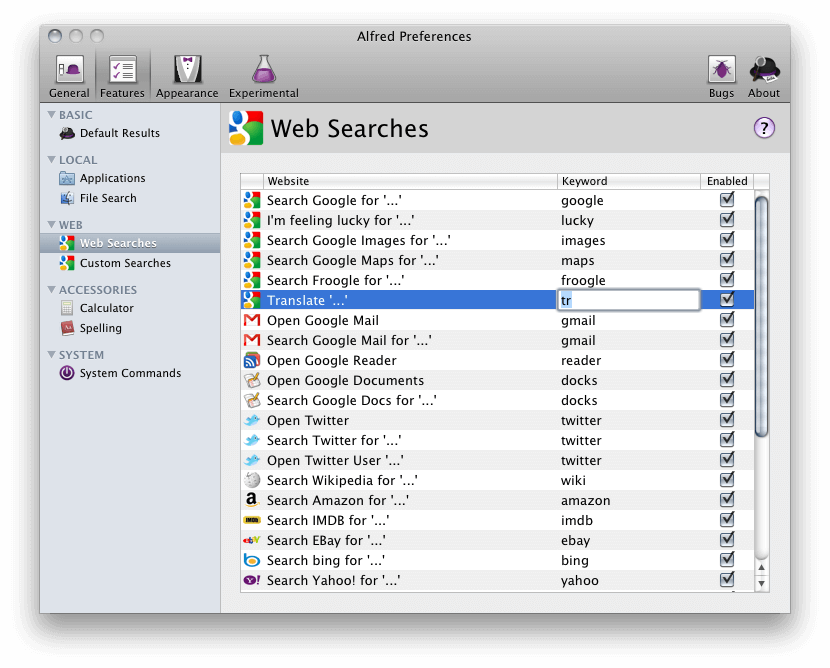
To find a complete list of the keywords that are currently available, just go to Preferences > Features, and tap Web Searches on the left side to have a look.
Setting keywords
The keywords for your searches are fully customisable. If a different one makes more sense to you, or you're a speed wizard eager to shorten searching time even more, simply double click on the keyword you wish to change and then type in your new preferred change:
Which will then result in this:
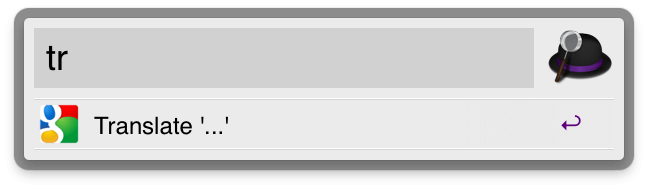
Now you're all set to be the fastest Internet user around.
Fallback searches
Sometimes, even Alfred gets confused about what you're asking him to do. In that case, he will try to guess, usually falling back on a number of general searches you might have in mind. Most often he'll resort to Google or Wikipedia. Admit it, you wanted the help anyway...
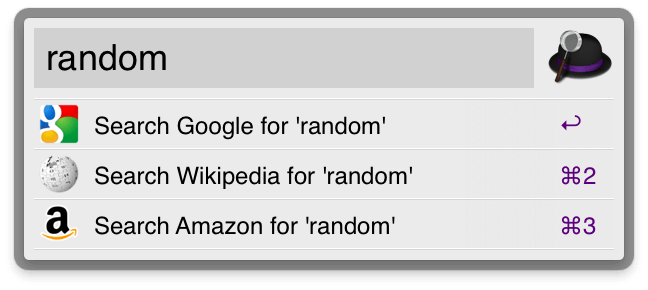
Forcing specific searches
Ultimately, however, you are still the master and Alfred is here to serve you. That's why we've added the option to force a search option, no matter what Alfred thinks you're looking for. To set these up, go to Preferences > General > Results and choose what happens when you hit a certain key combination instead of simple return. In the example below, pressing alt + return will always result in a Google search:
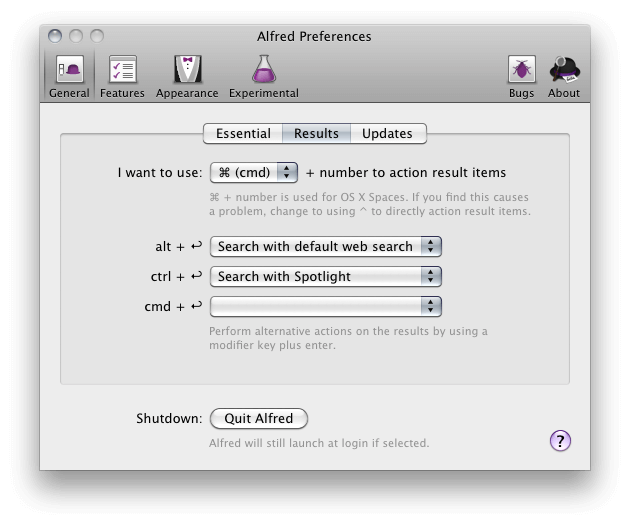
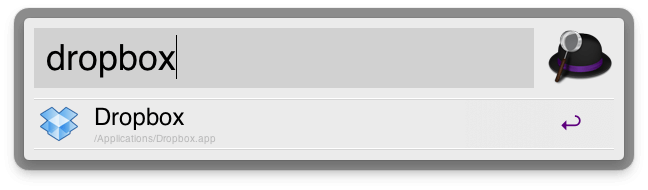
Underneath, I want to search for the word "Dropbox" on the Internet/locally/etc. and not actually open the application. I'd therefore simply type in the word and hit alt + return, which would then perform a general web search for me.
This wraps up the first Alfred guide. Many more coming soon.
We've been working tirelessly on the latest few versions of Alfred, adding plenty of new functionality for your enjoyment.
View the full change log for all new features and fixes since 0.6, but here are some highlights:
- The Sparkle update framework has been integrated for painless updating
- New System Commands: Type "sleep", "shutdown", "screen saver", "logout", "restart", "empty trash" for quick actions
- Completely overhauled preferences: Find and tweak Alfred preferences easily
- Basic "Play" feature to launch music tracks in your favourite music player
- Improved URL & character encoding to improve support for non-English users
- Increased Alfred speed significantly (by ~365% according to our tests!), further reducing CPU load
- Added Appsfire as a default search, enabling you to search for apps directly from Alfred
As we have completely rejigged the preferences section, this Alfred update will reset your preferences to default, so you'll need to choose your hotkey and location again. It does not affect your custom sites, however.
This is just the beginning, as we've got much more exciting stuff lined up for the next few months.
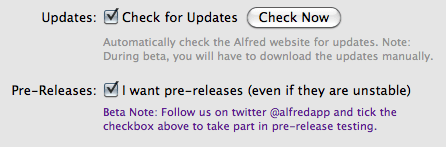
Quick tip: If you're here, you're probably a curious tinkerer, right? You can help us test Alfred pre-releases before they go out to the public by ticking the pre-releases box in the General > Updates tab within the preferences section.